
Tools
Calorie and nutrition calculators
These calculators estimate your daily calories, total daily energy expenditure (TDEE), calorie deficit and macros. Each one uses a published formula, shows how it works and lists its sources. They give estimates, not medical advice, so check results against your real weight trend and speak to a professional when in doubt.
Get it on Google Play → Join the iPhone waitlist Available on Android. iPhone coming soon. Free to start.
- Calorie calculator
How many calories you need a day to maintain, lose or gain weight. - TDEE calculator
Your BMR and total daily energy expenditure at every activity level. - Calorie deficit calculator
A daily target for gradual weight loss, with an estimated time to your goal. - Macro calculator
Grams of protein, carbs and fat per day and per meal. - Kalkulator kalori (Bahasa Indonesia)
Hitung kebutuhan kalori harian Anda dalam Bahasa Indonesia.
Which calorie calculator should I use?
Start with the calorie calculator for a daily target, or the TDEE calculator to see how many calories you burn at each activity level. Use the deficit calculator for a weight-loss plan with a time estimate, and the macro calculator to turn calories into grams of protein, carbs and fat.
Are these calculators accurate?
They are estimates. All use the Mifflin-St Jeor formula for resting energy, which is based on healthy adults, then apply common activity factors. Real needs vary, so track your weight for two to three weeks and adjust. They are not medical advice and are not suitable for everyone.
Track what you eat


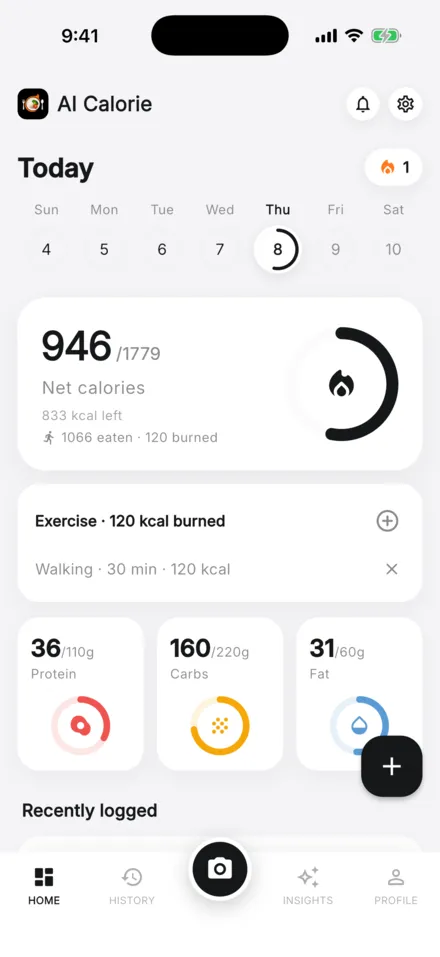
AI Calorie estimates calories from a photo or a short description, so you can compare your intake with your target. See pricing.
AI Calorie gives general nutrition information and AI-generated estimates. It is not medical advice. See medical review and our Terms of Use.